Organization Management
Organization is a generic term for client, customer, university, Non-profit org... The core concept is to link persons, projects, tasks and assets to an organization.
It is not mandatory to use org and project to manage tasks, but it helps when you are engaged with different projects and want to classify tasks per project. An organization may also being fictive, just here to help organize work.
Create Organization
Same user experience, the top-right button leads to create new organization:

- Only the
nameis mandatory, other fields may be added later. Stakeholderare persons within the organizationTeamare list of persons in our own orgRelated productsare more for ISV where a list of names can be used.- Each text field could be markdown content
The Preview tab presents the content as markdown.

- Once one project is added to the organization it will be possible to navigate from the Orgranization tile, via the
View Projectsbutton, to the project view.
Work on Existing Organisations
From the organization view it is possible to do a read-only access, edit, or delete and organisation.
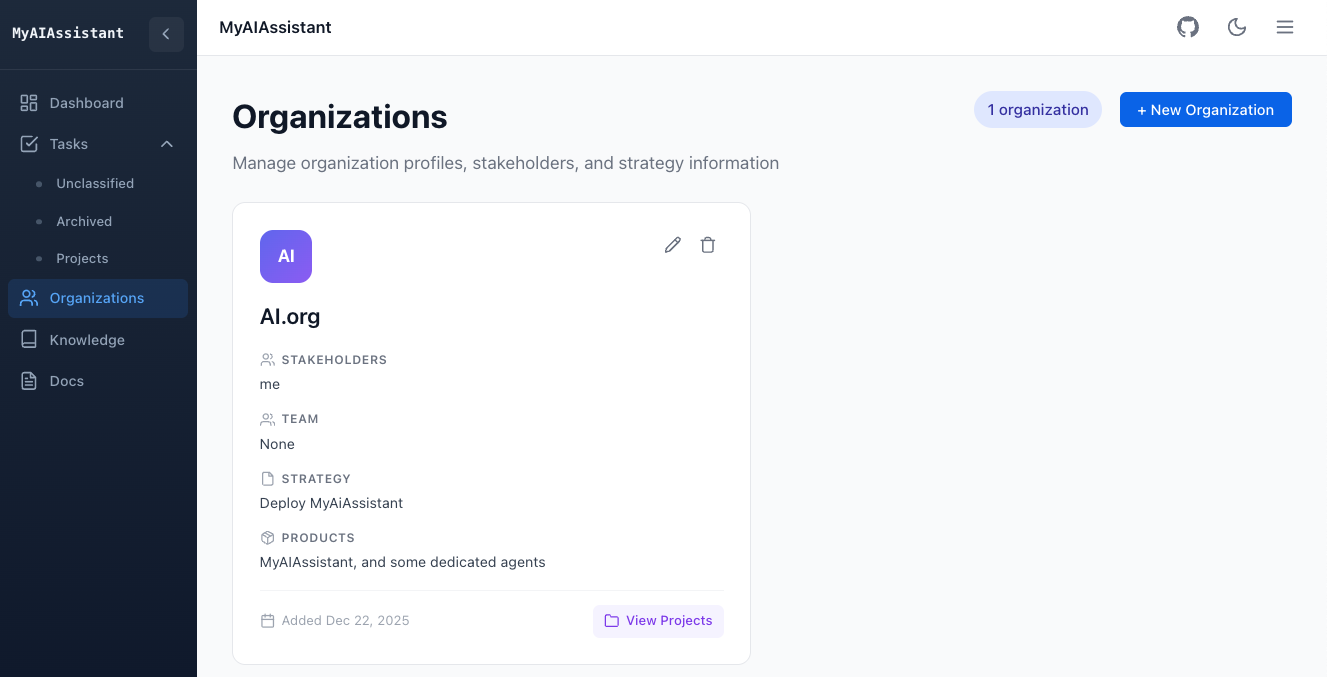
As an organization may have zero to n projects, it is possible to navigate from an organization to a project.
Meeting notes in organization markdown
Organization strategy notes (and customer-style index.md files) can contain multiple dated meeting sections. Metrics counts headings such as:
Section titles without a date (## Meeting notes, ## Meetings) are ignored. Headings that look like meetings but have no parseable date are dirty (for example ### Meeting 02/1026).
Audit a notes folder for dirty headings
Prefer the report script when cleaning data (per-organization summary and dirty line list):
cd backend

# Summary + dirty details
uv run python scripts/report_org_meetings.py /path/to/docs/notes

# Customer-style tree ({org}/index.md)
uv run python scripts/report_org_meetings.py /path/to/customers --dirty-only

# One org, include dated headings
uv run python scripts/report_org_meetings.py /path/to/notes --org acme -v
Exit code 1 means dirty headings remain. Fix those lines (use a real M/D or M/D/YYYY date), then re-run.
Alternatively, the integration audit walks the same files and fails on dirty headings (-s prints the full list):
cd backend

MEETING_METRICS_AUDIT_ROOT=/path/to/docs/notes \
  uv run pytest tests/it/test_meeting_heading_audit.py -m integration -s -v

MEETING_METRICS_AUDIT_ROOT=/path/to/customers \
  uv run pytest tests/it/test_meeting_heading_audit.py -m integration -s -v
See Meeting notes implementation for scanning rules and de-duplication.